Créer une clé d'installation Lubuntu sous windows
Pré-requis
Télécharger Rufus : https://rufus-usb.fr.uptodown.com/windows
Télécharger le fichier ISO Lubuntu (64 bits) : https://lubuntu.me/downloads/
Création de la clé
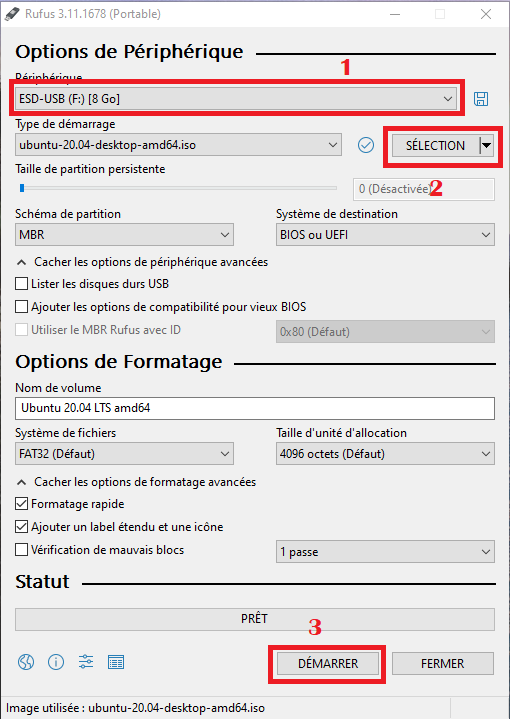
- Sélectionner la clé USB sur laquelle vous voulez copier Lubuntu
- Sélectionner l'image ISO de la distribution de Lubuntu que vous voulez utiliser
- Cliquer sur démarrer